New in v2.11 — Account Transfers, Balance Adjustments & Web Companion!
Free Expense Tracker & Smart Budget Planner
Track expenses across multiple accounts, view your spending heatmap right on your home screen,
and take full control of your finances. Privacy mode, smart reminders, budgets, and cloud backup — all in one app.
The Best Free Expense Tracker App — Offline & Private
100% offline. Your data never leaves your device. Just a powerful, private, and beautifully simple way to take control of your money.
4.8★
Google Play Rating
0
Data Servers
100%
Offline — No Server
Zero Tracking, Zero Data Sharing
No data harvesting, no external servers. Your financial data stays on your device — always.
Works Fully Offline
No internet required to track expenses, view reports, or manage budgets. Works anywhere, anytime.
Free to Download & Use
Expense tracking, budgets, savings goals, reminders, reports — all free. Unlock even more with a one-time premium upgrade.
Actively Updated
Regular feature releases with real user feedback shaping every update — not abandoned software.
LATEST FEATURES
What's New in v2.11
Account transfers, balance adjustments, per-account history, and a web companion — your finances, fully connected.
NEW
Account Transfers
Move money between your accounts — HDFC to SBI, Cash to Savings. One tap, both balances update instantly. Set up recurring transfers to automate regular movements.
NEW
Balance Adjustments
Reconcile your account with reality. Enter the correct balance and the app records the difference — perfect for matching bank statements or fixing entry mistakes.
NEW
Account History
Tap any account to see its full statement — every income, expense, transfer, and adjustment grouped by date. Filter by transaction type and date range.
NEW
Web Companion
View your finances on a big screen. Your phone runs a local server — open the link on any device on the same WiFi. Quick-add income and expenses from your browser.
Multi-Account Tracking
Cash, Bank, Credit Card, Savings — manage all your accounts in one place. Every transaction is linked to an account so you always know exactly where your money is.
PDF Statements
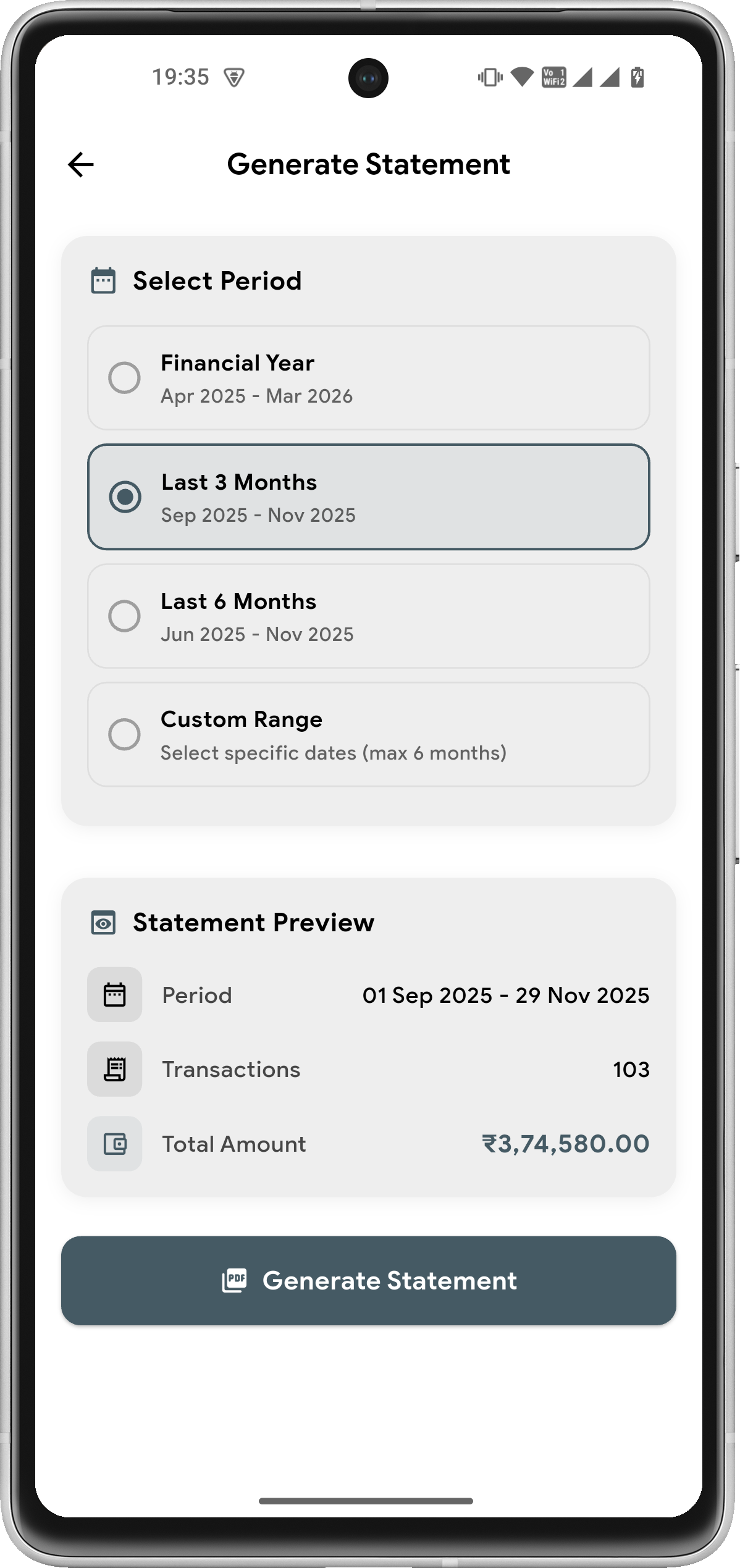
Generate professional financial statements with income, expense, and transfer columns. Filter by account, category, or date range. Share or save for your records.
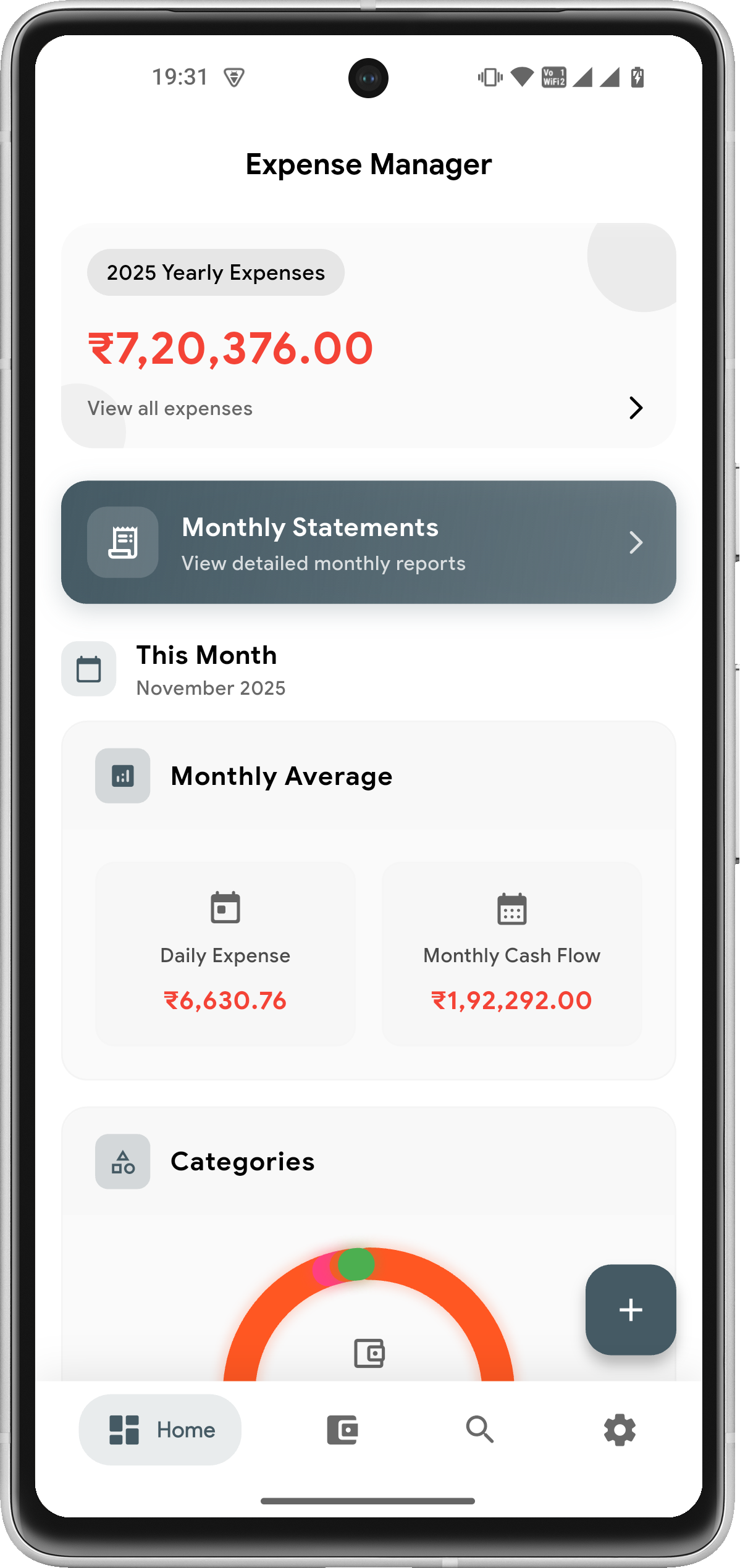
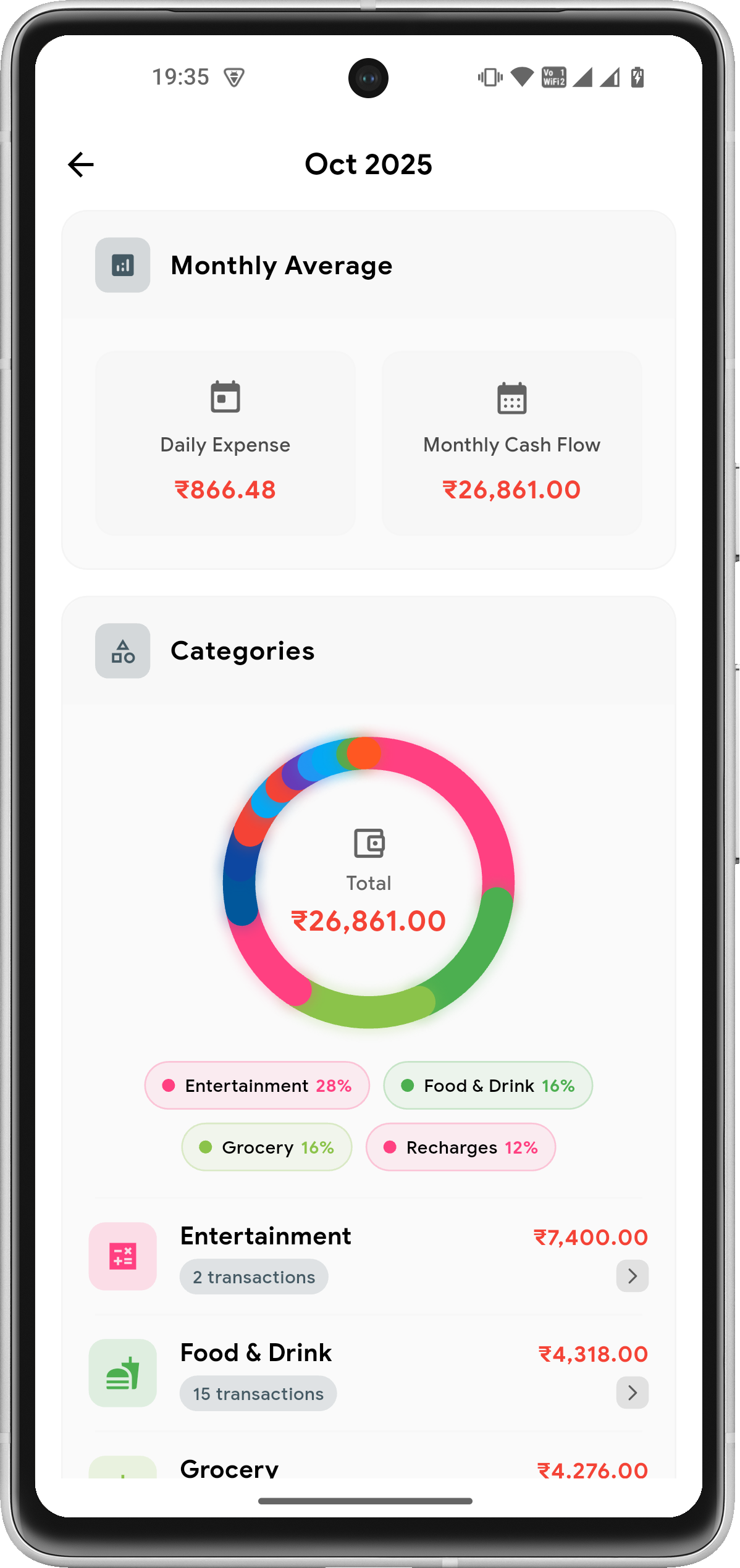
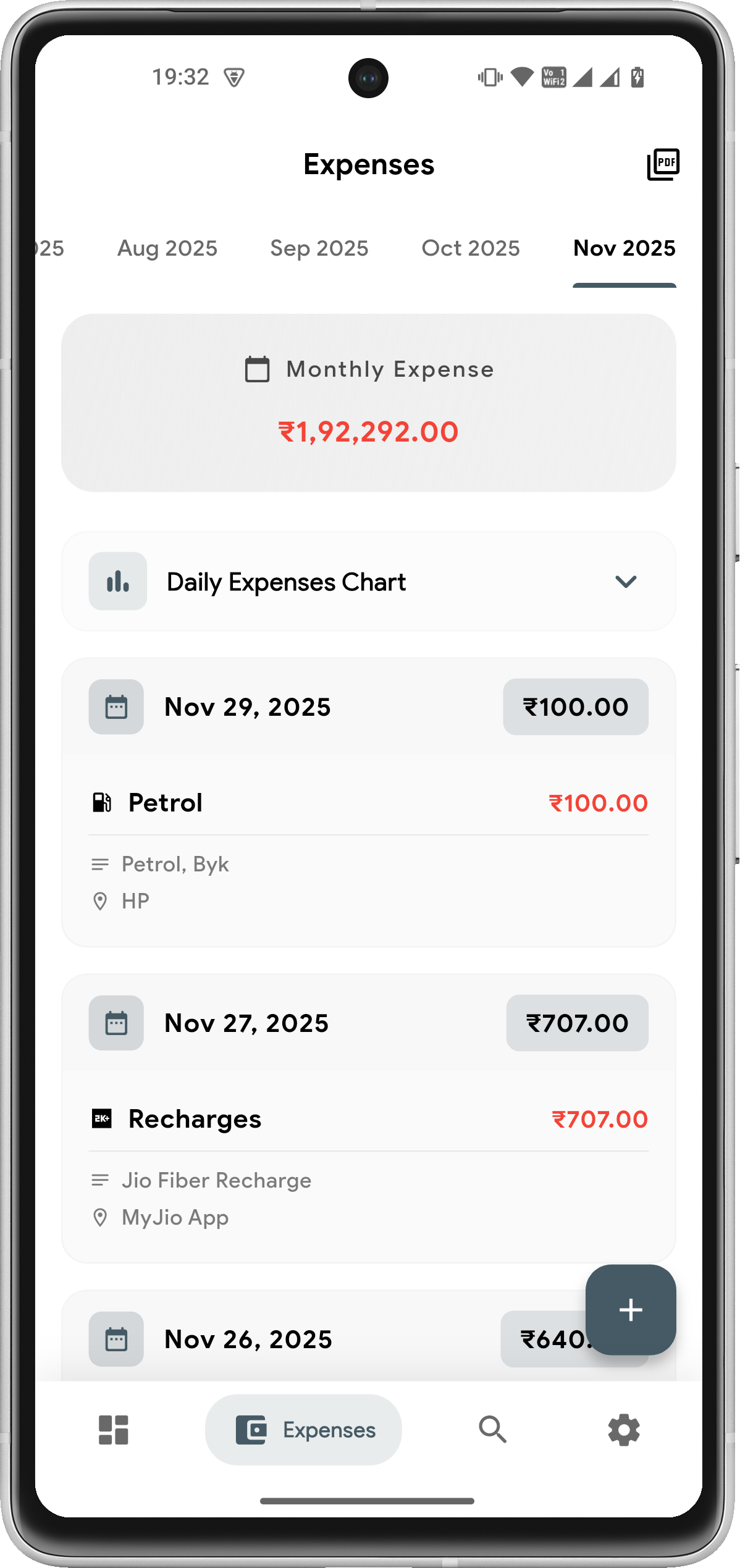
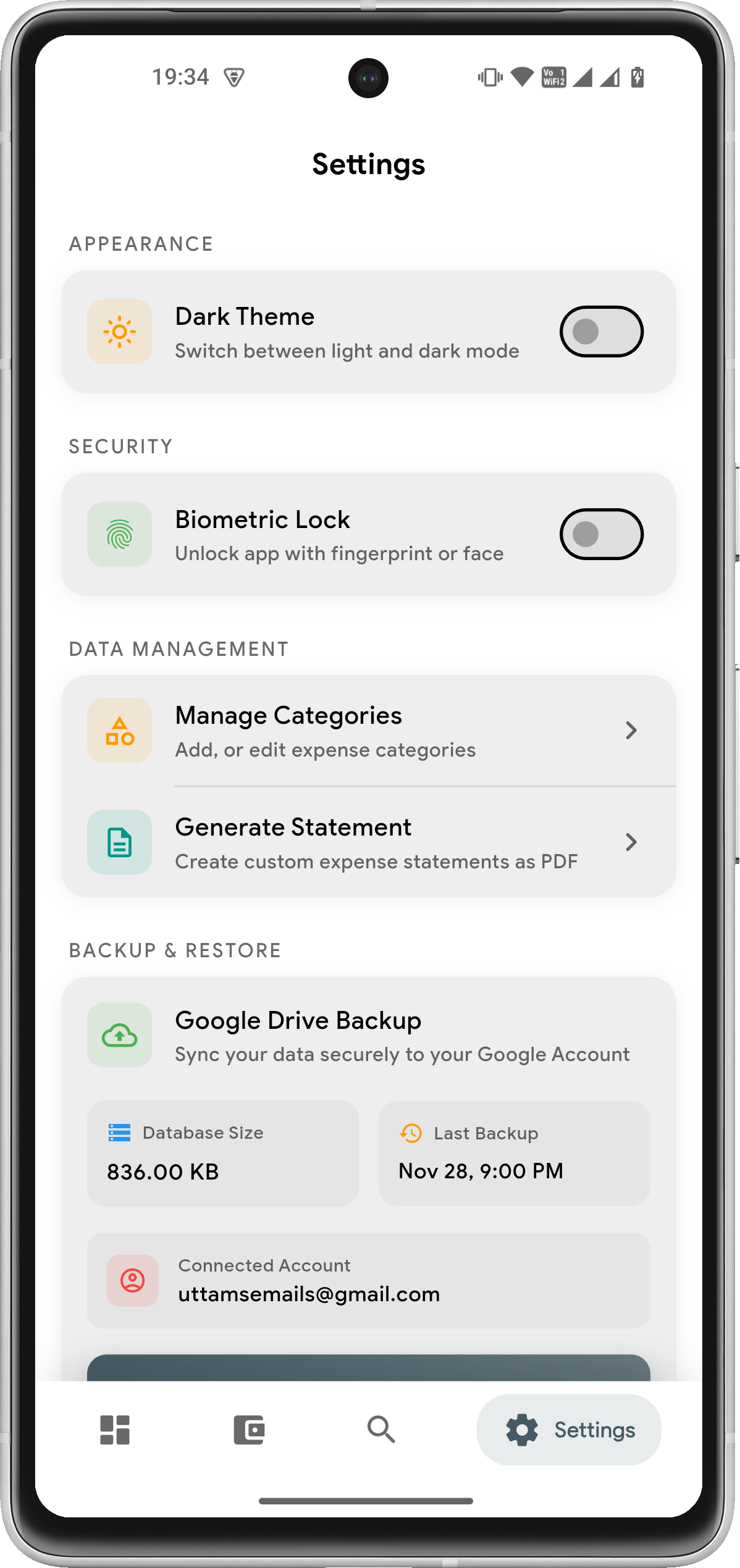
Beautiful Design, Powerful Features
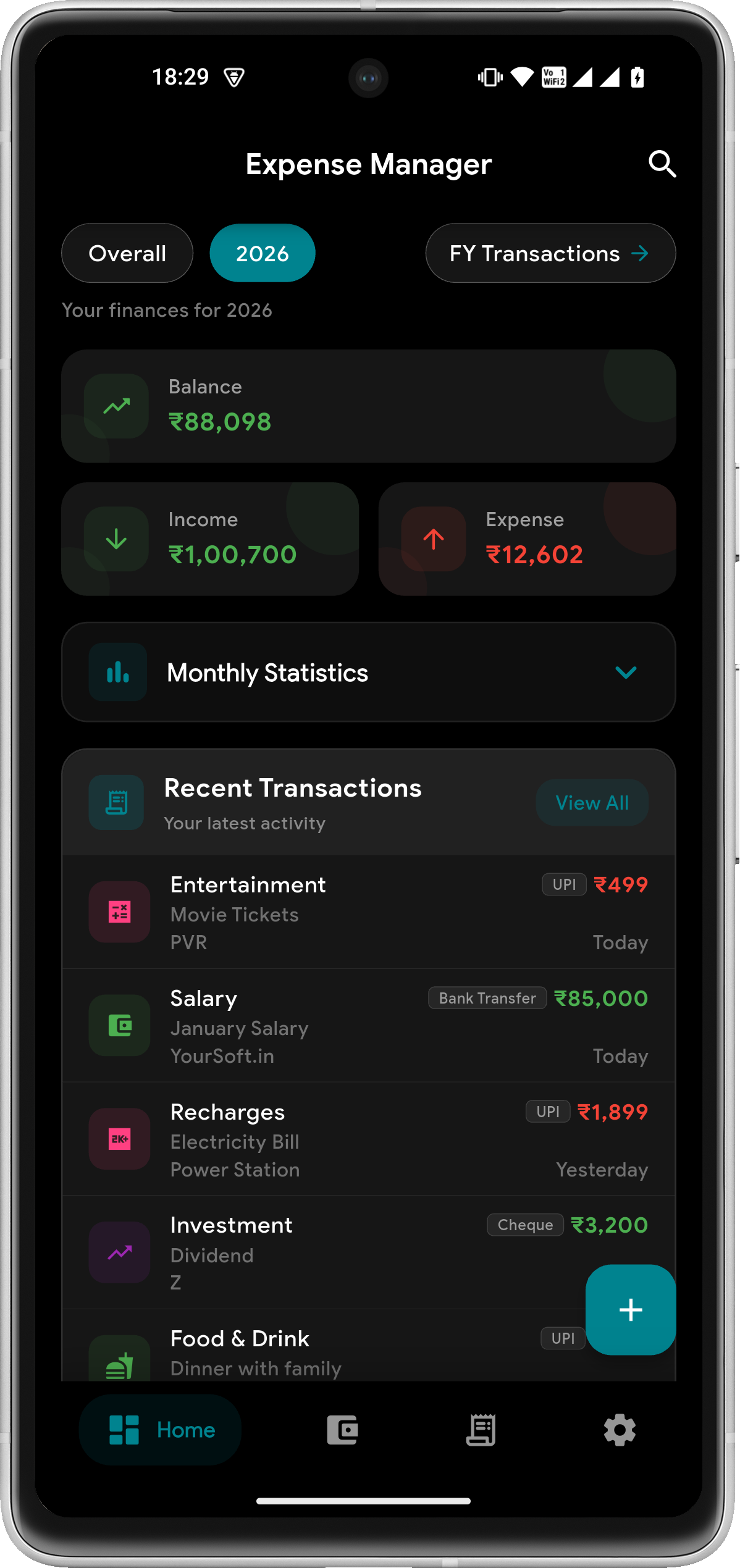
A clean, intuitive interface with dark mode support — tracking your finances has never been this delightful
Settings
Transactions
Analysis
Privacy Mode
Dark Mode
Offline Expense Tracker with No Data Sharing — 100% Private Money Manager
Unlike most finance apps, Expense Manager stores all your financial data securely on your device — no cloud sync, no external servers.
Google Drive access is only used when you choose to back up your data — either manually or via scheduled auto-backup.
The app does not access or modify any other files in your Drive. Your receipts and attachments are synced only to your personal backup folder.
No tracking. No data selling. No accounts required. Just a private, offline money manager built for people who value their financial privacy.
Everything you need to know about this free offline expense tracker & budget planner app
Is Expense Manager free to use?
Yes! Expense Manager is free to download and use. Core features like Privacy Mode, Smart Reminders, Multi-Currency Support, Budget Tracking, Savings Goals, and Google Drive Backup are available to all users. Premium features like Multiple Profiles and Payment Mode Analytics are available with a premium upgrade.
How do Multiple Profiles work?
Multiple Profiles is a premium feature that lets you separate your finances into dedicated spaces — for example, Personal, Business, and Family. Each profile has its own transactions, budgets, savings goals, categories, and reports. Switch between profiles instantly from Settings. All data stays on your device.
What is Payment Mode Analytics?
Payment Mode Analytics is a premium feature that shows how you spend across UPI, Cash, Credit Card, Debit Card, Net Banking, and Wallet. View donut charts for mode distribution, 6-month trends, and smart insights like "UPI is your top mode (45% of spend)". Available in monthly, yearly, and all-time views in the Analysis Dashboard.
Can I transfer money between accounts?
Yes! Account-to-account transfers let you move money between any of your accounts — Cash to Bank, Savings to Credit Card, etc. Both account balances update automatically. You can also set up recurring transfers for regular movements like monthly savings. Transfers appear in your account history and PDF statements with a dedicated Transfer column, but they don't affect your income or expense totals since they're money movement, not spending or earning.
What is Balance Adjustment?
Balance Adjustment lets you reconcile an account's balance with reality. Enter the correct balance and the app calculates and records the difference. This is useful when your app balance doesn't match your bank statement due to missed entries or rounding. Adjustments are visible in your account's transaction history but don't appear in income/expense reports or budgets.
How does the Web Companion work?
The Web Companion turns your phone into a local server. Open the app, start the companion from Settings, and scan the QR code or enter the URL on any device connected to the same WiFi network. You can view your transactions, accounts, charts, and quickly add income or expenses from a big screen. All data stays on your local network — nothing goes to the cloud.
Can I use Expense Manager on multiple devices?
Expense Manager is designed as a personal, single-device finance tracker — not a multi-user or multi-device sync app. Your data lives on your device for maximum privacy. If you switch phones, use Google Drive Backup to create a full backup and restore it on the new device. Real-time sync between two devices is not supported — each device maintains its own independent copy of your data.
How does Privacy Mode protect my financial data?
Privacy Mode hides all monetary amounts and receipt images throughout the app with a single toggle. Perfect for checking your finances in public places like cafes, trains, or offices without revealing sensitive information. You can enable it from Settings > Security > Privacy Mode.
Is my data stored on your servers?
No! All your financial data is stored locally on your device only. We never upload your transaction data to any external servers. Google Drive access is only used when you choose to create backups — either manually or via scheduled auto-backup. You remain in full control with no tracking and no data selling.
Can I track both income and expenses?
Absolutely! Expense Manager lets you track both income and expenses in one place. See your true net balance with dedicated categories for salary, freelance income, investments, as well as bills, shopping, food, and more. The Analysis Dashboard shows comprehensive insights with category breakdowns. Premium users can also track across multiple profiles and view payment mode analytics.
How does Budget Tracking help me?
Budget Tracking lets you set monthly or yearly spending limits by category or overall. Get smart 4-tier alerts (Healthy, Warning, Critical, Over Budget) as you approach your limits. The app helps you stay within budget with visual progress indicators and detailed spending breakdowns by category.
What devices are supported?
Expense Manager is available for Android devices running Android 5.0 (Lollipop) or higher. The app is optimized for phones and tablets with support for both portrait and landscape orientations. Download now from Google Play Store!
Is Expense Manager completely free to download?
Yes. Expense Manager is free to download and use. Core features — expense tracking, budget planning, savings goals, privacy mode, multi-currency support, and Google Drive backup — are all available at no cost. A one-time premium upgrade unlocks advanced features like multiple profiles and payment mode analytics.
Can I track expenses without an internet connection?
Absolutely. Expense Manager is a fully offline expense tracker — all your financial data lives on your device, never a server. You can add transactions, view reports, manage budgets, and track savings goals with no internet. Google Drive backup is optional and only runs when you trigger it. No login required, no forced cloud sync, no tracking.
How do I track my daily expenses on Android?
Download Expense Manager from Google Play — it's free. Tap the + button to log any expense or income in seconds. Choose a category (Food, Transport, Shopping, etc.), link it to an account (Cash, Bank, Card), and optionally attach a receipt photo. Your dashboard instantly updates your balance, budget status, and monthly summary. Set up recurring transactions for fixed bills so they log automatically.
How does Multi-Account Tracking work?
Multi-Account Tracking lets you create and manage multiple accounts — Cash, Bank, Credit Card, Savings, and more — all in one app. Every transaction is linked to a specific account so you always know exactly where your money is coming from and going to. You can view per-account balance summaries and filter transactions by account. A default Cash account is created automatically when you set up your profile.
What is the Home Screen Widget?
The Home Screen Widget is a 4×3 Android widget that displays a GitHub-style 16-week activity heatmap of your spending habits directly on your home screen. It shows this month's income and expense amounts, your active days count, and current streak — without opening the app. The widget syncs automatically every time you add a transaction or launch the app. Tap anywhere on it to open Expense Manager instantly.
Download the Best Free Expense Tracker — Start Today
Join thousands of Android users who use Expense Manager to track daily spending, stick to budgets, and hit their savings goals — all offline, all private.